Product Review-Cricut Expression 2

introduction
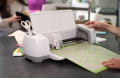
Sometimes it is better to leave everything just the way it is, and sometimes it is not.For scrapbookers, and card makers alike, the new Cricut Expression 2 electronic cutting machine is one of those machines that is better than the original.
Before I begin my review, I need point out that I am not an employee of Provo Craft, paid by Provo Craft to endorse this product, and most definitely not the owner of Provo Craft.I am just an ordinary person who happens to scrapbook for a living.Now that we got the introductions out of the way, I will begin to review this product.
In case you are not familiar with cutting machines in general.A typical cutting machine uses the pressure of weights on a die, which allows that die template to cut out a shape.It works on the same principle as a sheet metal cutting press.In the case of a paper cutting machine, there is a blade inside of the die template.You place a piece of paper on top of the platform of the machine, the die, and then a Plexiglas protector and crank it though.Provo Craft has a small version of that system called a Cuttlebug, which will be discussed at a later time.
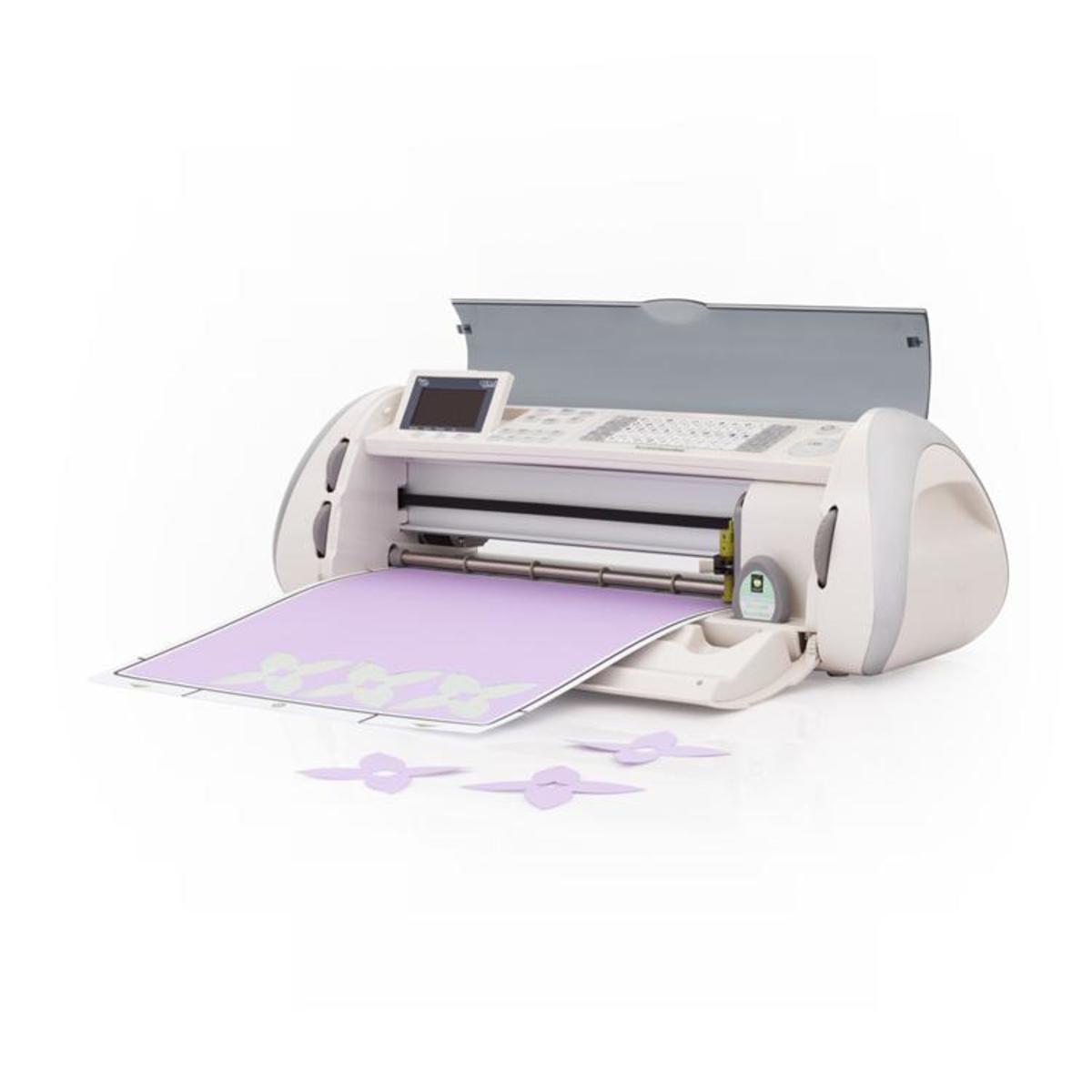
Provo Craft first introduced the Cricut around 2006.This system uses electricity to mimic the hand cranking use to cut the die, which is now housed in the form of a cartridge.The platform has been replaced by a flexible mat with adhesive to hold the paper.The machine has a blade housing with is used to cut out the shape needed.The Original Personal Electronic Cutting machine (affectingly known to the Cricut world as the baby bug) cuts a half sheet of 12x12 (6x12) paper in shapes from .1/2” to 5 ½ “.Around 2007-08, Provo Craft (not Provocraft) introduced the Expression machine.It cuts whole 12x12 sheets of paper.It cuts shapes from ¼” to 23 ½”, and it was a relief for those paper crafters who use 12 x 12 sheets of paper.Next came the Cricut Create (for those who wanted a smaller Expression).It mixes the best of baby bug with the controls of the Expression, again turning the controls ofcutting on a half sheet of 12x12 paper to those who love it, or want to take the cutting machine to crops.Provo Craft introduced the Cricut Cake, Cricut Cake Mini, and Cricut Imagine all in 2010.I do want to point out that paper is not the only thing the Cricuts cut out.All except the Cricut Cake machines cut out soft metal, thin sheets of chipboard (except the Imagine), fabric, and a couple other materials.Because of FDA rules and regulations, the Cricut Cake and the Cricut Cake Mini can only cut out fondant for cake decorating, and the parts of these machines are protected so that no dirt or other foreign objects can get in.
The best way to review the Cricut Expression 2 and the Cricut Expression 2 5th Anniversary Edition, is to compare it to the original Expressions Machine.The Cricut Expressions 2 5th Anniversary Edition made its debut in April 2011 on the Home Shopping Network (HSN).This was Provo Craft’s way of celebrating the birth of the Cricut.September 2011, Provo Craft debut the E2 with its 5th Anniversary moniker on HSN.There is no difference in the two E2 machines, except the E2 5th Anniversary Edition has Green end caps, while the E2 has silver end caps.Also, the E2 had the WIFI adaptor already in the box, while the rest of the crafters who either already own the Anniversary Edition (which I currently have) or anyone who buy the E2 in a store will have to buy the adaptor when it is ready.
If you already own an Expression machine, and purchase the E2, right away you will notice how different they look.The E2 looks sleeker than its big brother, coming in at 1” shorter than the Expression (Known as E1 for the rest of the article).You will also notice that the screen is now on the top of the machine, and not inside.This is where you would perform all the function of the machine, including setup.Setup is really easy.Plug it up, and the first thing you do is update the machine with your computer.No computer, no worries, because cricut do not require a computer to use it.This is just an extra feature.I love the computer feature, and will love it more when I get the WIFI adaptor. (It is already setup to except the adapter.)
The other big difference between the two is no overlay to use.Cartridges come with a handbook and overlay, so you can find what you need.All machines except the Imagine and the E2 uses the overlays.I think that the overlays are too much of a pain to store.So it is a blessing to know that I do not need them.The last difference between E1 and E2 is the cartridges.E1 uses the regular cartridges, and lets leave it at that.E2, on the other hand, uses not only the regular cartridges, but the Imagine cartridges as well. In case, you are not familiar with the Cricut imagine machine, The Imagine not only cuts but prints as well.E2 can use these cartridges, but E2 cannot print out the images.
As far as price points go, most electronic cutting machines are usually in the $199-$350 range, and the E2 sells at the moment for $299, which is the price on their site www.cricut.com.I am not sure is Provo Craft will stick to that price or change it.It all depends on the number of sales received.You may be able to find a cheaper price like Walmart or bid on one at Ebay.
Over all, if you want something that is simple, stick to the E1 or the original Expressions machine.Provo Craft does not plan on retiring them any time soon and if they are, again you can always catch a clearance sale or two.But if you are looking for a slicker version of the original and do not mind have a touch screen and WIFI, than E2 is your machine.
Links
Update to the original article
Update: Since I originally wrote this Hub, Provo Craft, which I mistakenly called ProvoCraft (It is two words), has introduced the Cricut Mini. The Cricut Mini addresses those crafters who uses 8.5 x 11 sheets of paper. Although I do not personally own a Cricut mini, I have heard great reviews for the machine, which also uses the mat/cartridge system. Provo Craft has also introduced a software to replace their Design Studio software. This is allows the craft to use their machine with their computer. I will present my review on the online/offline software soon.
Note to those having problems with their machines:
If you are having problems with your machine, please call Provo Craft about your particular machine. It does not matter if you just purchased your machine or had it for several years. If the rep does not give you the answer to the questions or problem you have, hang up, call back immediately, and present it as though you are calling for the first time. The first rep may not have the answers (they are supposed to), but that may not always be the case. Remain calm and do not raise your voice. If anything, see if you can get a new machine, especially if it is a new machine. You can always take the machine back to the store you bought it from. It is a little harder if you order it online from any store other than Provo Craft, because the shipping may be on your dime. If you ordered it from HSN (Home Shopping Network), The Shipping label comes with the machine so save it in case there is a problem.